
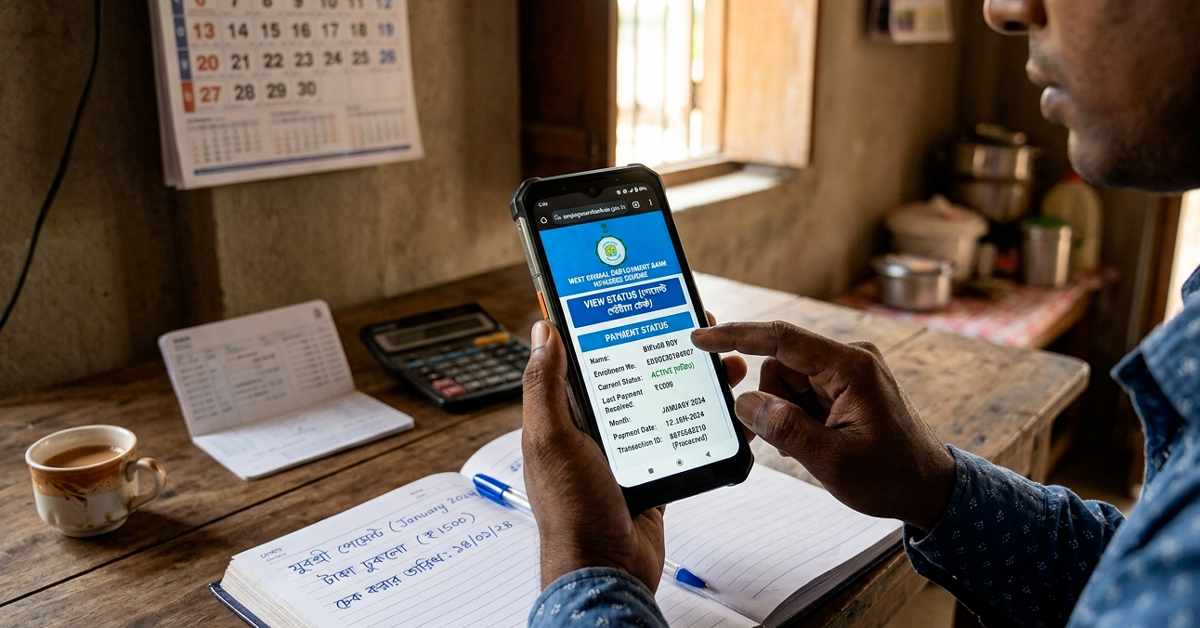
Yuva Sathi Prakalpa, also known as Banglar Yuva Sathi, is a popular West Bengal government scheme launched to support unemployed youth. Under this scheme, eligible candidates aged 21-40 years who have passed at least Madhyamik (Class 10) receive ₹1,500 per month as financial assistance. The money is transferred directly to the beneficiary’s Aadhaar-linked bank account via DBT (Direct Benefit Transfer). The support can continue for up to 5 years or until the person gets a job, whichever comes earlier.
Many beneficiaries in West Bengal, including those in Kolkata and other districts, are eagerly waiting for their monthly payments, especially the April 2026 installment. If you have applied and want to check your Yuva Sathi payment status, here is a simple, step-by-step guide.
Read More – Yuva Sathi Status Check, যুবসাথী স্ট্যাটাস চেক
What is the Yuva Sathi Scheme?
- Benefit: ₹1,500 monthly allowance.
- Eligibility:
- Permanent resident of West Bengal.
- Age between 21 and 40 years (as of 1st April 2026).
- Passed Madhyamik or equivalent examination.
- Currently unemployed.
- Not receiving benefits from other state social security schemes (scholarships are allowed in some cases).
- Payment Mode: Direct credit to bank account. Many beneficiaries have started receiving payments, and updates suggest April 2026 installments are being processed or credited in phases.
Note: Payments are released in installments. Always check your bank account or SMS alerts first, as the official portals may show application status more reliably than real-time payment tracking.
How to Check Yuva Sathi Application / Payment Status Online
The official portals for checking status are:
- https://yubasathi.wb.gov.in/ (Banglar Yuba Sathi Portal)
- https://apas.wb.gov.in/ (Applicant Services Portal – often used for Yuva Sathi)
Step-by-Step Process (Most Common Method):
- Visit the official website: Go to https://yubasathi.wb.gov.in/ or https://apas.wb.gov.in/.
- Look for the “Check Status” or “Application Status” option on the homepage (it is usually prominently displayed).
- Select the Yuva Sathi / Banglar Yuva Sathi section if prompted.
- Enter your registered mobile number (the one used during application).
- Fill in the captcha code shown on the screen.
- Click on “Get OTP”.
- You will receive a One-Time Password (OTP) on your mobile number. Enter the OTP and verify.
- Once verified, your application status or registration details will appear. This may show whether your form is approved, pending, or if payment-related updates are available.
Some users also check via:
- https://yubasathi.wb.gov.in/public/bys/bys_quick_tips.aspx (Quick tips / status page).
- WBIFMS portal (https://www.wbifms.gov.in/) for payment records (login may be required; some users report “no record found” even if payment is credited – in such cases, check your bank statement directly).
Tip: If you applied through a camp (offline), there might be a slight delay in data entry. The portal may show “Updated status will be made available soon” – try again after a few days.
Alternative Ways to Confirm Payment
- Check your Bank Account: Log into net banking, mobile banking, or passbook. Look for credit entries mentioning government schemes (sometimes shown as YSRR or similar codes). Many people receive an SMS from their bank when the amount is credited.
- SMS Alerts: Keep an eye on messages from your bank.
- Helpdesk: For queries, contact the Yuva Sathi Help Desk:
- Phone: 6292248888
- Email: yubasathi2026@gmail.com
Common Issues and Solutions
- OTP not received: Ensure your mobile number is correct and active. Try after some time.
- “No Record Found”: This is common even if payment has been credited. Cross-check your bank balance.
- Status Pending: Payments are released in batches. April 2026 payments are reportedly being processed – keep checking regularly.
- Application Rejected: If status shows issues, you may need to visit the local camp or helpdesk with documents.
Important Documents You Might Need
- Aadhaar Card
- Mobile number linked with Aadhaar and bank
- Bank account details (Aadhaar-linked)
- Madhyamik certificate
- Voter ID or other address proof (for residency)
Final Advice for Beneficiaries
Always use official government websites only to avoid fraud. Do not share OTP or personal details with anyone. If you have not received the payment even after approval, wait for a few more days as disbursements happen in phases.
For the latest updates on April 2026 payments, regularly visit the official portals or follow reliable government announcements. Many YouTube channels and local news are also sharing real-time updates.
If your status is approved but payment is delayed, the money should reflect in your account soon. Stay patient and keep your bank details updated.
Have you checked your Yuva Sathi status yet? Share your experience in the comments (on the blog) or contact the helpdesk for assistance.
This guide is based on official portals and latest available information as of April 2026. Always verify on the government website for the most accurate details.
Official Links:
- Banglar Yuba Sathi: https://yubasathi.wb.gov.in/
- Applicant Portal: https://apas.wb.gov.in/